
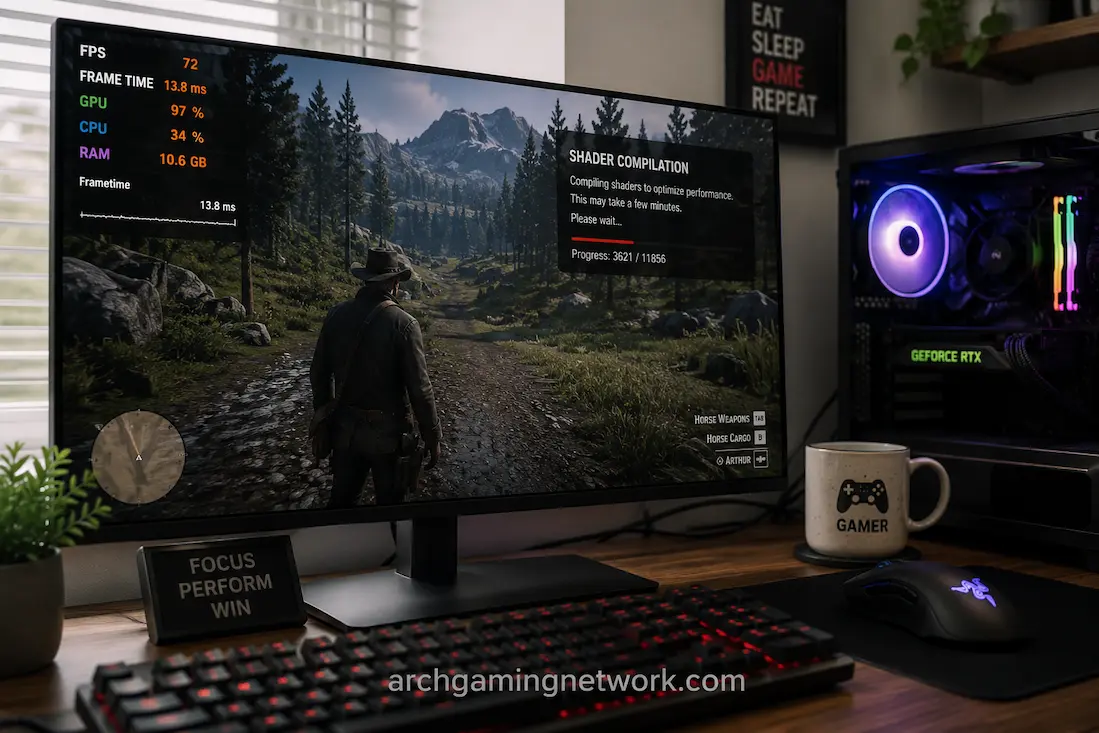
When a game suffers from quick pauses, stuttering during camera movements, or brief freezes, it is difficult to pinpoint the exact cause. Many factors can cause stuttering, and shader compilation is just one of them. Stuttering related to shaders can occur when starting the game, after a graphics card driver update, following a game patch, or when entering areas where the game’s effects are not yet ready. This makes the matter even more complex.
The key is to understand when the stuttering occurs and whether it repeats in the same way. Shader compilation issues are usually related to specific effects, locations, objects, or actions. Once the necessary shaders have been saved and compiled, the game can return to the previous stuttering state more easily. Ordinary stuttering caused by high CPU load, background activities, storage latency, unstable frame rates, or poor GPU performance typically manifests differently.
There is no guarantee that stuttering is always caused by shader compilation. However, you can use subtle clues to pinpoint the cause. If the game stutters when a specific effect first appears, CPU usage rises rapidly, the frame rate shoots up dramatically, and then becomes smooth again when you walk through the same area, then shader compilation is likely the cause of the stuttering.
A Shader Is Part Of The Rendering Process
Many visual effects in modern games use shaders, such as lighting, shadows, materials, reflections, particle effects, and post-game effects. These are small programs that tell the GPU how to process the graphics. A game or graphics driver may need to configure shaders to be compatible with the hardware and the rendering environment before the GPU can execute them. Some games do most of this work before startup, while others compile specific shaders during loading or even while the player is playing.
Due to these different compilation methods, two games can differ drastically after downloading. The first game may display a shader compilation interface that takes some time to complete, while the second game appears ready and compiles while loading new content. When compilation occurs during gameplay, this interruption may feel like normal stuttering. A useful diagnostic method is to determine whether this interruption is always related to shader-related activity.
Common Situations That Can Trigger Shader Work
- First launch after installing a game
- A major game update
- A graphics driver update
- Changing hardware or graphics APIs
- Clearing or rebuilding shader caches
- Entering an area with previously unseen effects
- Encountering a new material, lighting effect or particle system
Not every game behaves this way, and not every stutter following one of these events is caused by shaders.
The First Run Can Tell You Something
One of the strongest clues is a difference between the first and subsequent runs. Suppose a game stutters when you enter a particular area for the first time. You leave, return to the same location, and the second pass is noticeably smoother. If the pattern continues after repeating the route, shader compilation or caching becomes a reasonable possibility.
The behavior can also occur without a dramatic visual change. A particular weapon effect, enemy ability, lighting condition, or particle system may trigger work that wasn’t required earlier in the session. This is why repeating the same action can be more informative than simply watching an FPS counter. If the exact same event repeatedly causes a hitch on the first encounter but becomes smooth afterward, the pattern itself is valuable evidence.
Repetition Is The Important Part
A single stutter doesn’t tell you much. A repeatable sequence does.
For example:
First encounter → noticeable hitch → later encounters are smooth
is more suggestive of one-time preparation than:
Every encounter → noticeable hitch
The second pattern makes other explanations more likely, such as a sustained CPU or GPU workload, asset streaming, a frame-time problem or a game-engine issue.
Shader Compilation And Asset Streaming Can Feel Similar
Shader compilation isn’t the only process that can occur when you enter a new area. Games may also load textures, models, audio, animations, and other assets from storage. Those resources can require decompression and preparation before they are ready for use. As a result, a stutter that happens whenever you enter a new location isn’t automatically a shader problem. The game could be streaming assets, compiling shaders, doing CPU-heavy processing, or performing several of these tasks at once.
Storage activity can provide another clue. If disk activity rises sharply during the hitch and the same pattern happens while the game loads new assets, investigate streaming behavior as well as shader compilation. The distinction is especially important when comparing an SSD with a slower drive. If moving the game to faster storage changes the behavior substantially, storage-related work becomes more relevant.
Frame-Time Graphs Are More Useful Than Averages
A frame-time graph can make shader-related stutters easier to recognize because compilation can produce a very large individual frame-time spike. The average FPS may barely explain what you felt because the interruption may have lasted only a fraction of a second.
Imagine a game producing frames around 10 milliseconds apart and suddenly taking 150 milliseconds for one frame. The average FPS across the next several minutes might still look excellent, but that individual spike is enough to create a noticeable hitch. If the spike happens precisely when a new effect appears and subsequent encounters don’t produce the same spike, you’ve found a meaningful pattern.
Watch The Shape, Not Just The Number
A useful graph might show:
Normal frame times → sharp isolated spike → normal frame times
That is different from:
Repeated spikes → repeated spikes → repeated spikes
The first pattern could be consistent with one-time work such as shader preparation. The second suggests a persistent problem that requires a broader investigation. Frame-time graphs don’t identify the exact cause by themselves, but they help establish whether the interruption is isolated or recurring.
CPU Activity Can Provide Another Clue
Shader compilation can involve CPU work before the resulting shader is ready for the GPU. If CPU usage or activity on one or more cores increases sharply at the same moment as the hitch, that can support the theory that preparation work is occurring. However, CPU activity alone isn’t proof. Many other game tasks can cause a temporary CPU increase. AI calculations, physics, asset decompression, and world simulation can all produce similar behavior.
The useful evidence comes from combining the CPU observation with the timing and repeatability of the stutter. If the CPU briefly becomes busy when a new visual effect appears, frame time spikes, and subsequent encounters become smoother, shader compilation becomes more plausible. If CPU activity remains high every time the effect appears and the hitch never disappears, investigate other sources too.
A Driver Update Can Change Shader Behavior
Graphics driver updates can affect shader caches and the way games interact with the driver. This is one reason a previously smooth game can stutter differently immediately after a driver change. The first few runs after the update may not be representative of the long-term experience. Depending on the game and driver, some shaders may need to be compiled or cached again.
This doesn’t mean every post-driver stutter should be ignored. If the problem continues after repeated runs and affects areas that were previously smooth, investigate the driver and game version as separate variables. A useful comparison is to reproduce the same section several times rather than judging the driver from the first five minutes after installation.
Don’t Confuse A Rebuild With A Regression
If the game stutters during the first run after a driver update and becomes smoother later, that pattern is different from a driver that consistently causes stuttering every time you play. The first suggests that temporary preparation may be involved. The second deserves deeper investigation. The distinction comes from persistence.
Clearing A Shader Cache Can Make The Problem Return
Shader caches exist partly to avoid repeating expensive preparation work. If you clear, delete, or invalidate a cache, the game may need to rebuild some of that information. That can make a previously smooth game stutter again under situations that had already been processed. The behavior can therefore provide an intriguing diagnostic clue.
If clearing a cache causes familiar areas to stutter again and subsequent passes become smoother, that pattern supports the idea that cached shader data was involved. However, manually deleting caches should not be the first troubleshooting step. It can deliberately remove useful cached information and create additional compilation work. Only use that kind of test when you have a specific reason to investigate cache behavior.
Not Every First-Launch Stutter Is Shader Compilation
This distinction is important because “first run” is not a diagnosis. A newly installed game has many things happening for the first time. It may create configuration files, initialize services, build indexes, stream assets, compile shaders, generate caches, or perform other setup work. The fact that the first session is worse doesn’t identify which process caused the problem.
Look for a more specific pattern. Does the hitch occur exactly when a new visual effect appears? Does returning to the same location become smoother? Does CPU activity rise briefly? Does the game provide a shader compilation stage during startup? The more independent clues line up, the stronger the explanation becomes.
Ordinary GPU Limits Behave Differently
A GPU that simply cannot maintain the requested frame rate tends to remain under pressure throughout similarly demanding scenes. Lowering a graphics setting that affects GPU workload should then produce a measurable change. Shader compilation is different because it can concentrate the problem around particular events. The game may run at a perfectly stable 100 FPS for several minutes and then hitch sharply when it encounters a new effect.
If reducing resolution or other GPU-heavy settings has little effect on the isolated hitch, that can be a clue that the issue isn’t simply sustained GPU rendering load. Again, it isn’t proof. The goal is to distinguish a persistent rendering limitation from an event-triggered interruption.
CPU Bottlenecks Have Their Own Pattern
A CPU-limited scene can also produce frame-time spikes, especially when the game is handling many characters, physics calculations or simulation tasks. The difference is that the workload usually remains relevant whenever that scene is active.
For example, a crowded city might consistently produce lower FPS because the CPU has to process many entities. You can walk through the same area repeatedly and continue seeing similar performance. That is different from a one-time hitch when a particular shader or effect first appears.
The distinction can be summarized simply:
| Pattern | More likely direction |
|---|---|
| First encounter hitches, later encounters smooth | Shader/cache-related |
| Every encounter hitches similarly | Persistent workload |
| Entire demanding scene runs at low FPS | CPU/GPU limitation |
| New areas hitch while assets load | Streaming/storage |
| Stutter follows driver change consistently | Driver/game interaction |
| Random spikes regardless of location | Background/system issue |
These are starting points rather than absolute diagnoses.
A Practical Way To Test The Theory
Choose an area or effect that reliably causes the stutter. Run through it once and note exactly when the hitch happens. If possible, record frame time and basic CPU/GPU activity during the test. Then repeat the same route without changing graphics settings. If the second pass is substantially smoother, repeat it again. The more consistently the hitch disappears after the first encounter, the stronger the evidence for one-time preparation.
If the hitch occurs every time, please change one relevant variable and test again. For example, move the game to faster storage if asset streaming is suspected, or investigate CPU/GPU workload if the entire scene is demanding. The point is to test a hypothesis rather than cycle through random fixes.
Keep The Test Simple
You don’t need a complicated benchmark.
Choose:
One location + one reproducible action + several repeated passes.
Record when the stutter occurs and whether it becomes less severe. This gives you considerably more information than playing for an hour and trying to remember whether the game “felt smoother.”
A Useful Sign: The Problem Moves With The Effect
Sometimes the strongest clue isn’t a specific location. The same stutter may follow a particular visual effect. For example, several different maps might hitch the first time a particular particle effect, lighting technique, or material appears. If the location changes but the type of effect remains associated with the interruption, shader-related preparation becomes more plausible.
This kind of pattern can be difficult to notice during ordinary gameplay because the player naturally focuses on the visible problem rather than what triggered it. If you’re investigating a recurring hitch, pay attention to what was happening visually immediately before it occurred.
When The Stutter Doesn’t Improve
If the game continues to hitch in the same locations after multiple runs, don’t keep assuming that shaders are the cause. At that point, investigate other sources. CPU workload, GPU limitations, storage performance, memory pressure, background processes, driver behavior, and game-engine problems can all produce persistent stuttering. Network conditions can also create online symptoms that players sometimes describe as “stutter,” although they affect the game differently from a local frame-time spike.
A shader explanation is most useful when it illustrates the pattern. If the pattern doesn’t fit, move on. Good troubleshooting is about abandoning a weak hypothesis when the evidence stops supporting it.
A Shader Is Part Of The Rendering Process
When only brief stutters occur on the screen, shader compilation issues can easily be confused with ordinary stutters. You can find useful clues by observing when the stutters occur, how often they repeat, and what causes them.
If a stutter occurs only once when an effect first appears, and subsequent iterations of the effect run relatively smoothly, then a shader compilation or caching problem is likely the cause. However, if frame-time spikes occur every time, regardless of whether the effect has already appeared, the problem may be more persistent.
Do not assume that every startup stutter is a shader issue and do not immediately change graphics settings, as the game may simply be preparing something it did not need earlier. Instead, reproduce the stutter, compare repeated stutters, and observe the frame times, rather than relying only on the average frame rate. The second stutter often provides the most useful clues. If the game displays the same effect smoothly again after a single stutter, then the problem you are experiencing is very different from a situation where stutters occur every time.
FAQs
1. Does shader compilation always cause stuttering?
No. Many games compile shaders before gameplay or use other techniques to reduce visible stuttering. Some games may still compile additional shaders during gameplay, while others handle the process differently.
2. Why does the game stutter the first time I see a specific effect, but not afterward?
A possible explanation is that the game or driver prepared the shaders for that effect and stored them in the cache. Other one-off resource preparation processes can cause similar behavior, so recurring patterns can be a useful reference but not absolute proof.
3. Can a graphics card driver update cause shader stuttering?
It can change the behavior of the shader cache or require certain shader data to be re-prepared. If stuttering occurs immediately after an update and gradually decreases after playing several times, it is worth considering updating the driver.
4. Should I clear the shader cache to resolve the stuttering issue?
Not necessarily. Clearing the cache can cause the game to rerun the compilation, which can temporarily worsen the problem. It should be viewed as a targeted troubleshooting test, not a general solution.
5. How do I distinguish stuttering caused by shaders from a low framerate?
Pay attention to the pattern. A persistently low framerate often persists in high-load scenarios, whereas stuttering caused by shaders can manifest as isolated spikes in frame time at specific effects or areas, which sometimes become less noticeable after repetition.
6. Can solid-state drives (SSDs) fix stuttering caused by shader compilation?
SSDs can improve resource load speed and streaming speed, but shader compilation is primarily a preparation process, not just a matter of storage speed. Faster storage speeds can reduce the associated loading lag, but they cannot eliminate shader compilation itself.