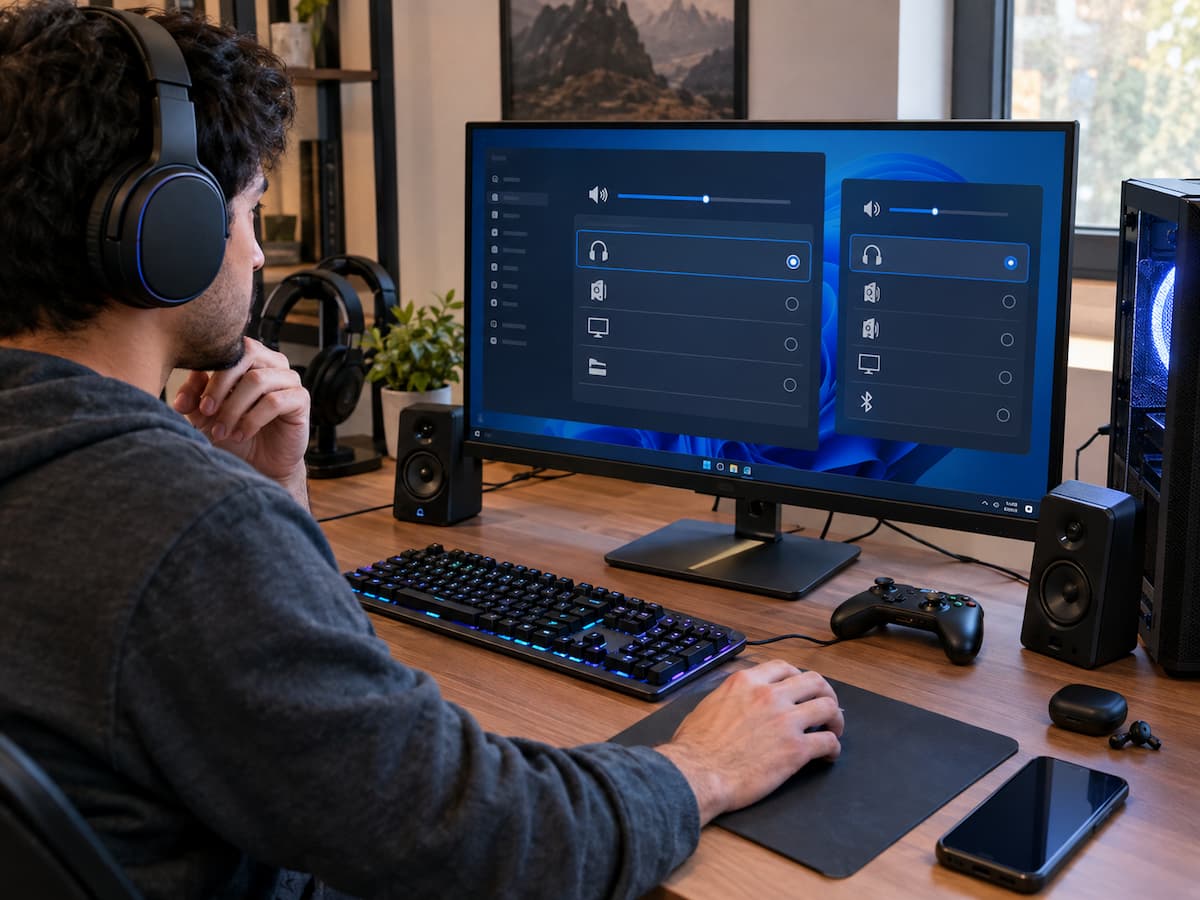
Multiple Audio Devices Can Confuse Game Output Selection

Modern gaming PCs can have several audio devices connected at the same time. You might have a monitor with built-in speakers, a USB headset, wireless headphones, a controller, desktop speakers, and the computer’s built-in audio output all available at once. Having more choices is useful, but it can also make game audio surprisingly difficult to … Read more

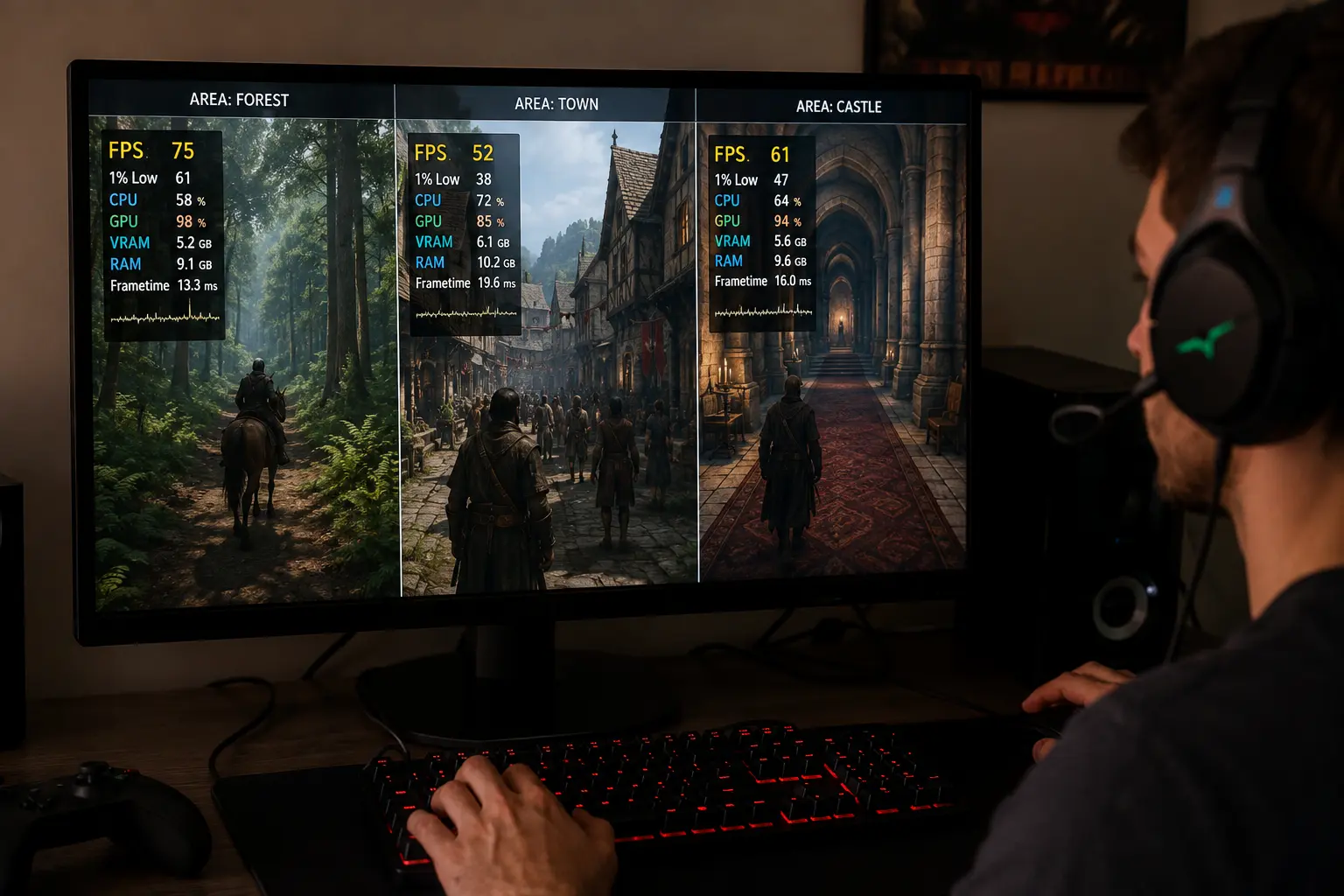
Tracking Performance Changes Across Different Areas of the Same Game

A game can run smoothly in one area and feel noticeably worse somewhere else, even when the graphics settings, resolution, and frame-rate limit have not changed. This often leads players to blame inconsistent optimization, a sudden hardware limitation, or a background process without first checking whether the game is simply placing a different load on … Read more

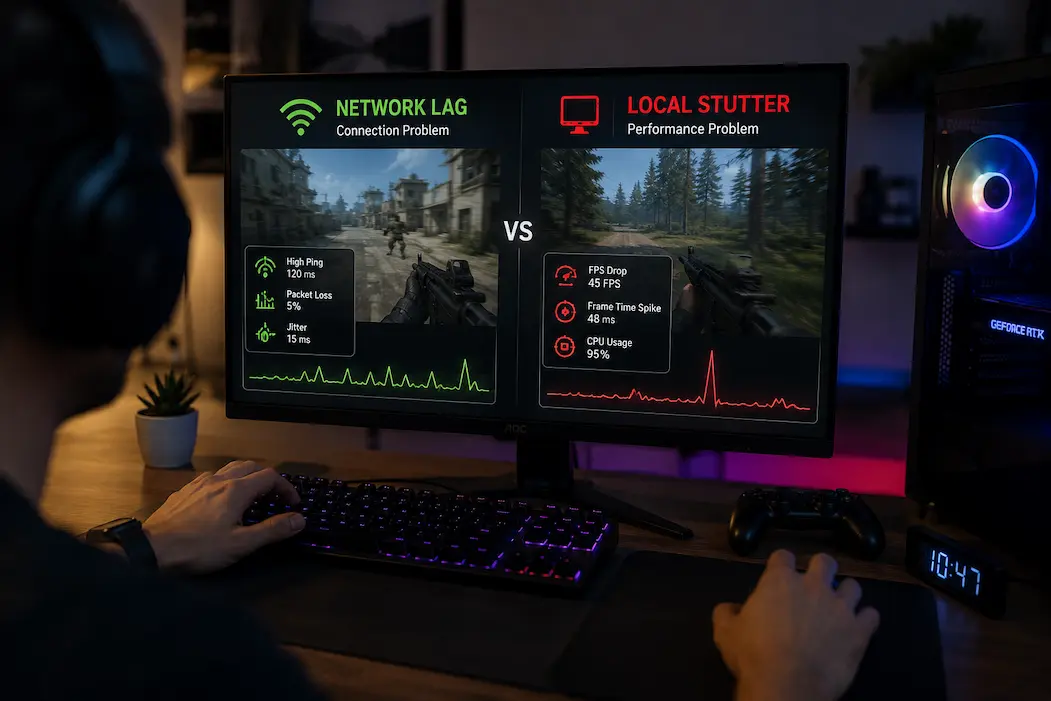
Separating Network Lag From Local Performance Stutter

A game can suddenly feel slow, unresponsive, or strangely delayed for several entirely different reasons, and online games make the distinction especially difficult. A player may describe almost any interruption as “lag,” even when the actual problem is a frame-time spike, CPU workload, GPU pressure, packet loss, unstable latency, or a problem on the game … Read more

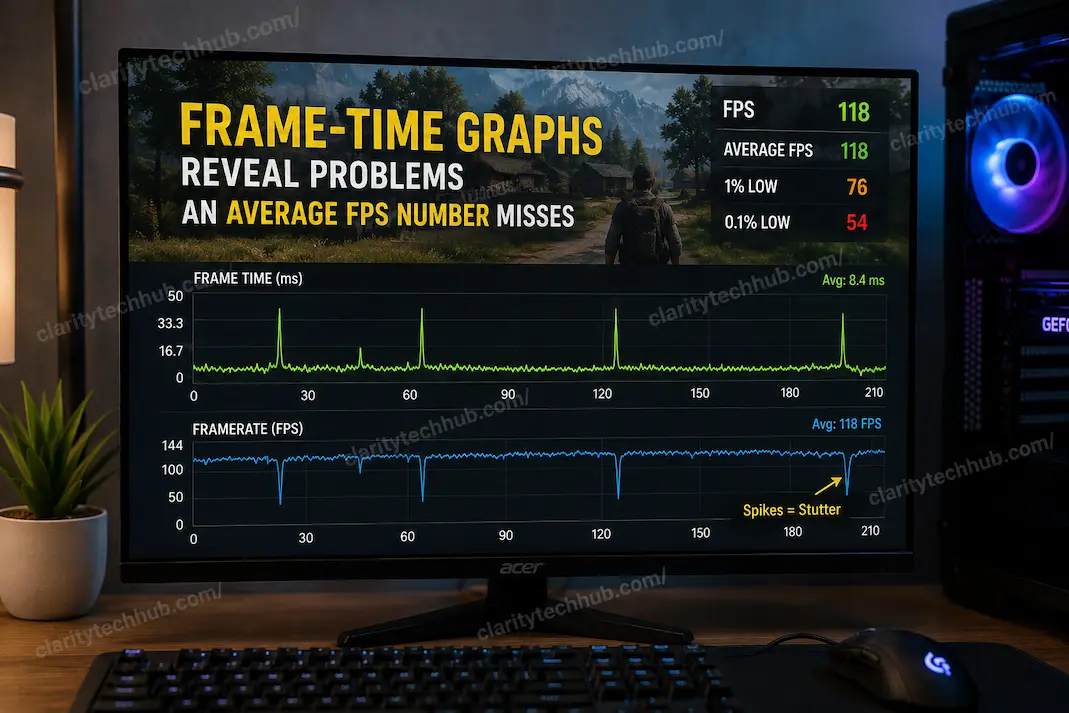
Frame-Time Graphs Reveal Problems an Average FPS Number Misses

A game can report an excellent average FPS and still feel noticeably uneven. This is one of the more confusing performance situations because the number most players watch appears to say everything is fine. A counter showing 120 FPS, for example, sounds like the game should be running smoothly, yet the image may occasionally hitch, … Read more

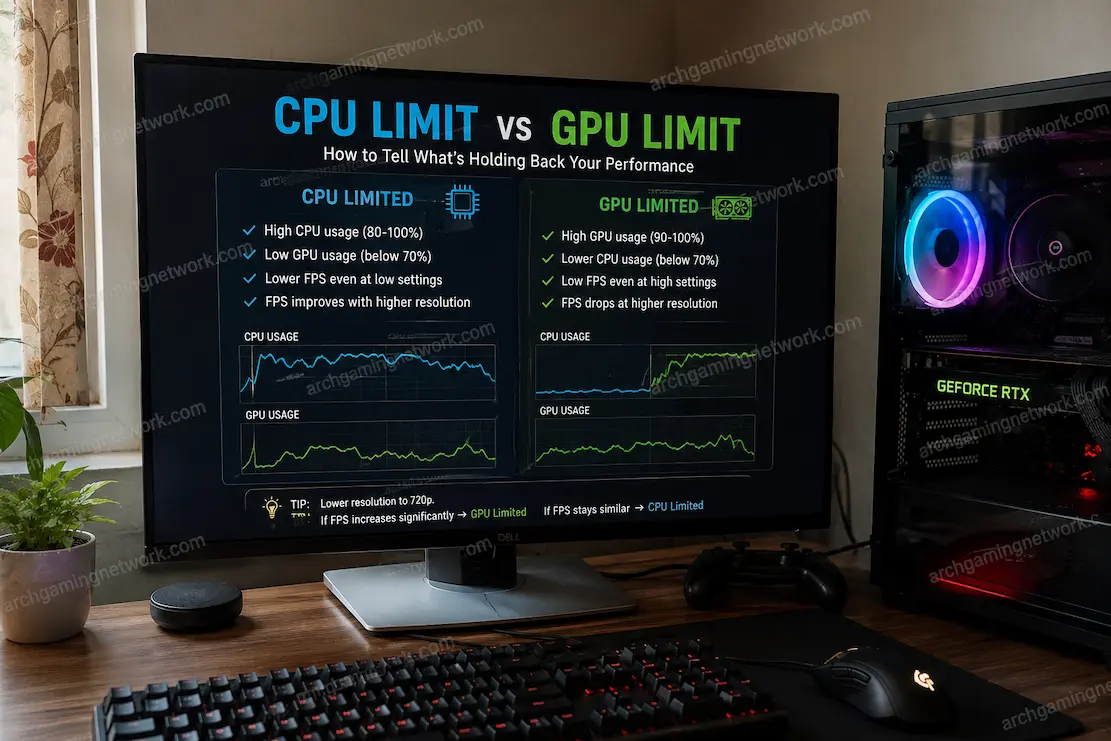
A Practical Way to Separate CPU Limits From GPU Limits

When a game starts running poorly, it is tempting to look at the GPU usage percentage, see that it is below 100%, and immediately decide that the processor must be the problem. The opposite mistake happens just as often: the graphics card reaches very high utilization, so the player assumes every performance issue is automatically … Read more

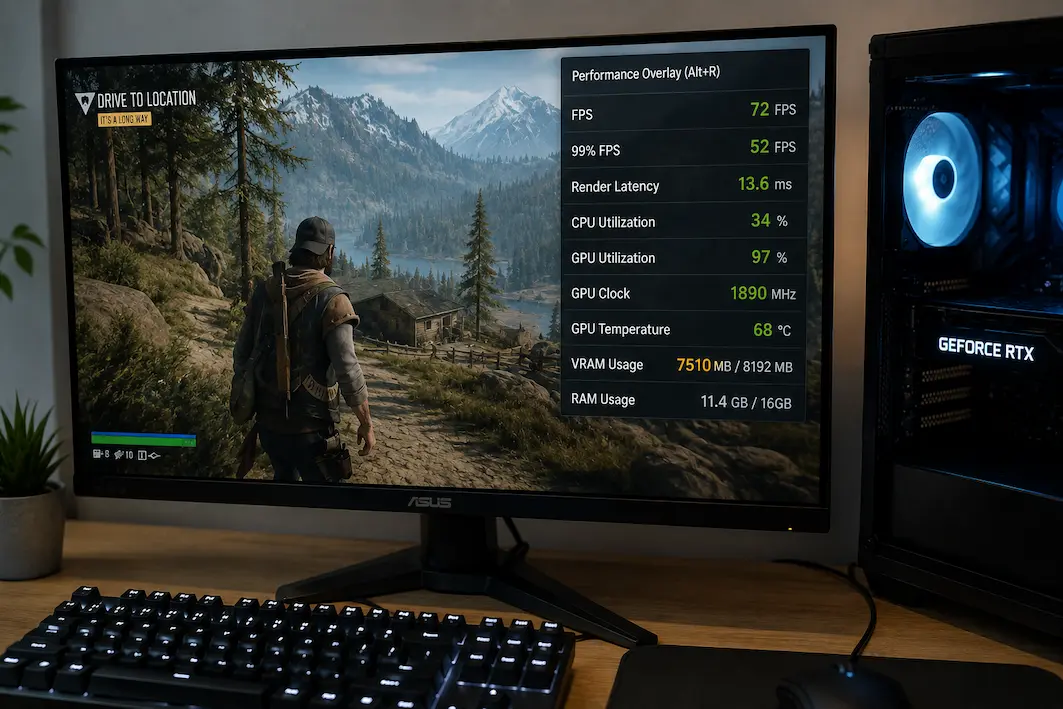
Checking VRAM Usage Before Blaming a Game’s Graphics Settings

After changing graphics presets, games may exhibit stuttering, blurry textures, slow loading times for graphics elements, or sudden performance drops. People often immediately lower all settings, assuming that a particular game setting is too demanding. Sometimes this is true, but there is another possibility worth considering: video memory (VRAM). A graphics card may deliver sufficient … Read more

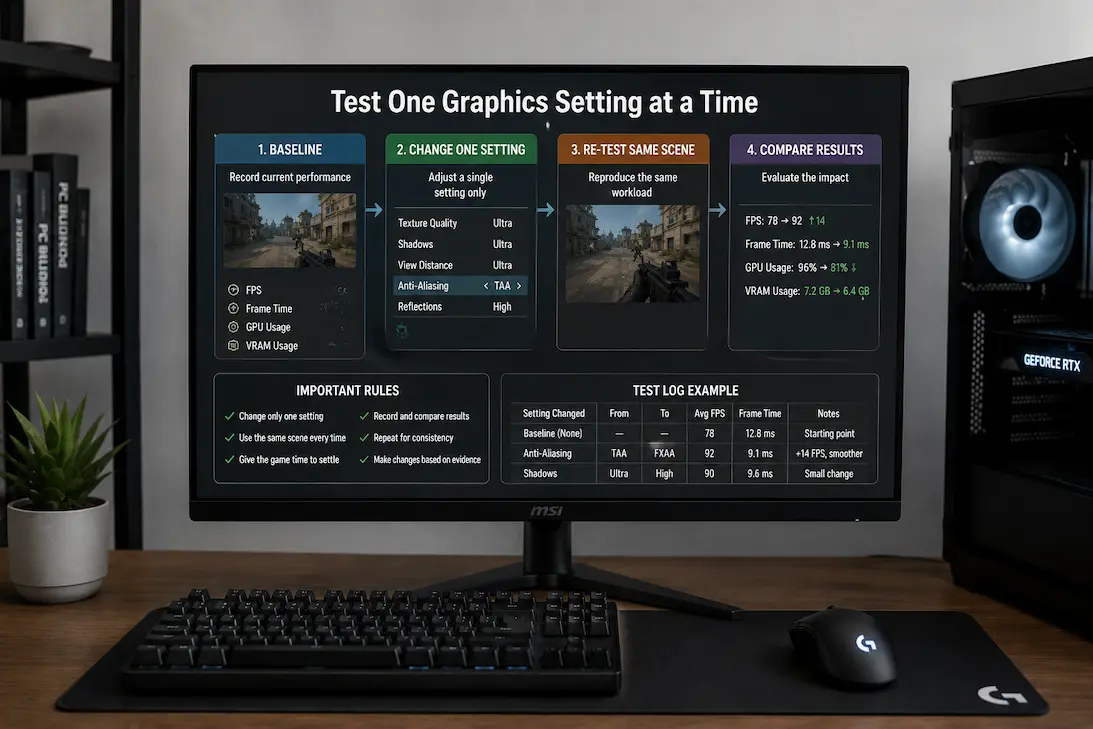
A Reliable Method for Testing One Graphics Setting at a Time

At first glance, improving game speed by adjusting graphics settings seems simple, but in reality, it becomes difficult to determine which setting is the deciding factor if too many settings are changed at once. Suppose a player lowers the resolution, disables raytracing, reduces texture quality, and changes graphics settings from “Ultra” to “Medium.” The game … Read more

Recognizing Shader Compilation From Ordinary Stuttering

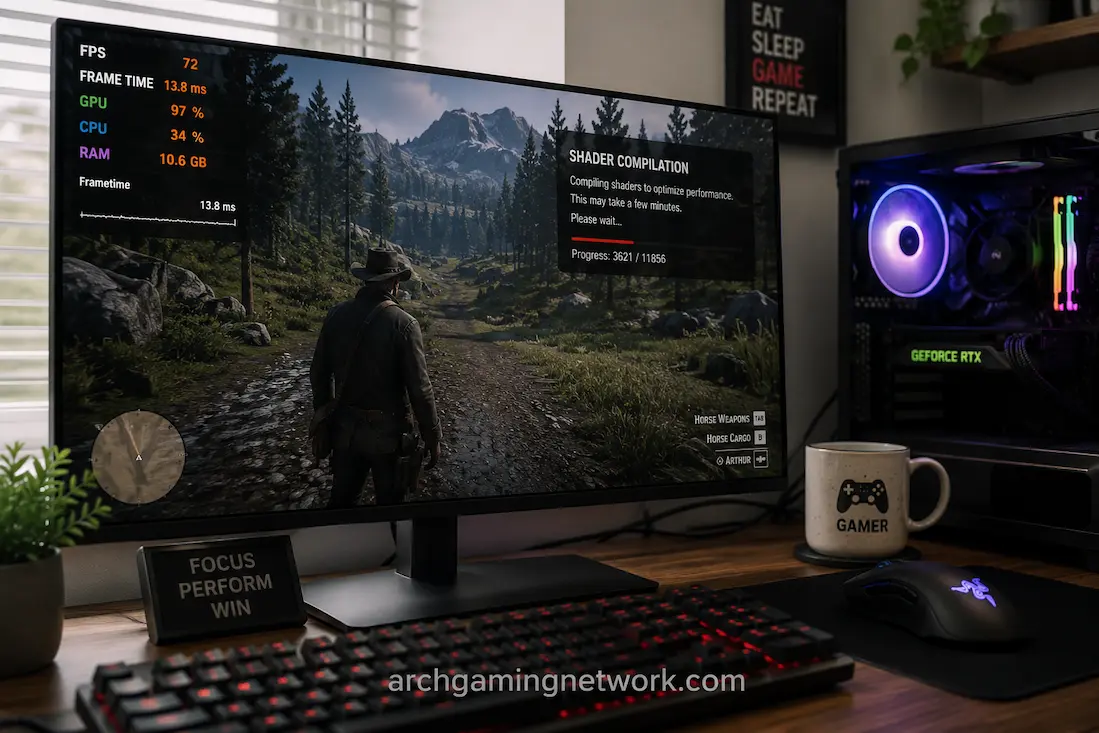
When a game suffers from quick pauses, stuttering during camera movements, or brief freezes, it is difficult to pinpoint the exact cause. Many factors can cause stuttering, and shader compilation is just one of them. Stuttering related to shaders can occur when starting the game, after a graphics card driver update, following a game patch, … Read more

Comparing Game Performance Before and After a Driver Change

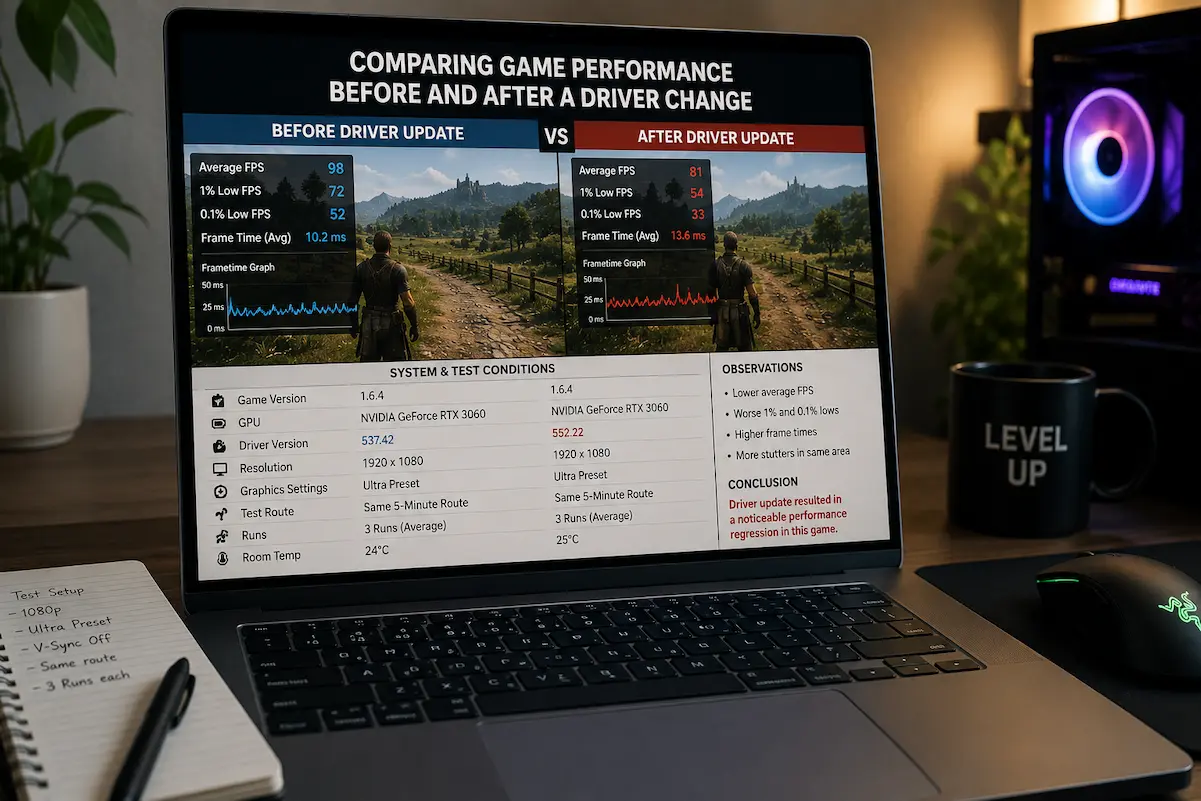
Updates to graphics card drivers can accelerate, slow down, optimize, or alter game performance without warning. Such variability makes diagnosing driver performance issues extremely difficult. If a game ran well last week but no longer works properly after an update, the cause is likely a driver problem. However, memory instability or other factors can also … Read more

The Difference Between Input Delay and Low Frame Rates

Some games, even with sharp graphics, can feel choppy; others, even with smooth controls, can still stutter. Although both are referred to as “latency,” they are different issues. Input lag refers to the time interval between a player’s action and the game’s response, whereas a low frame rate means the computer is generating fewer frames. … Read more