
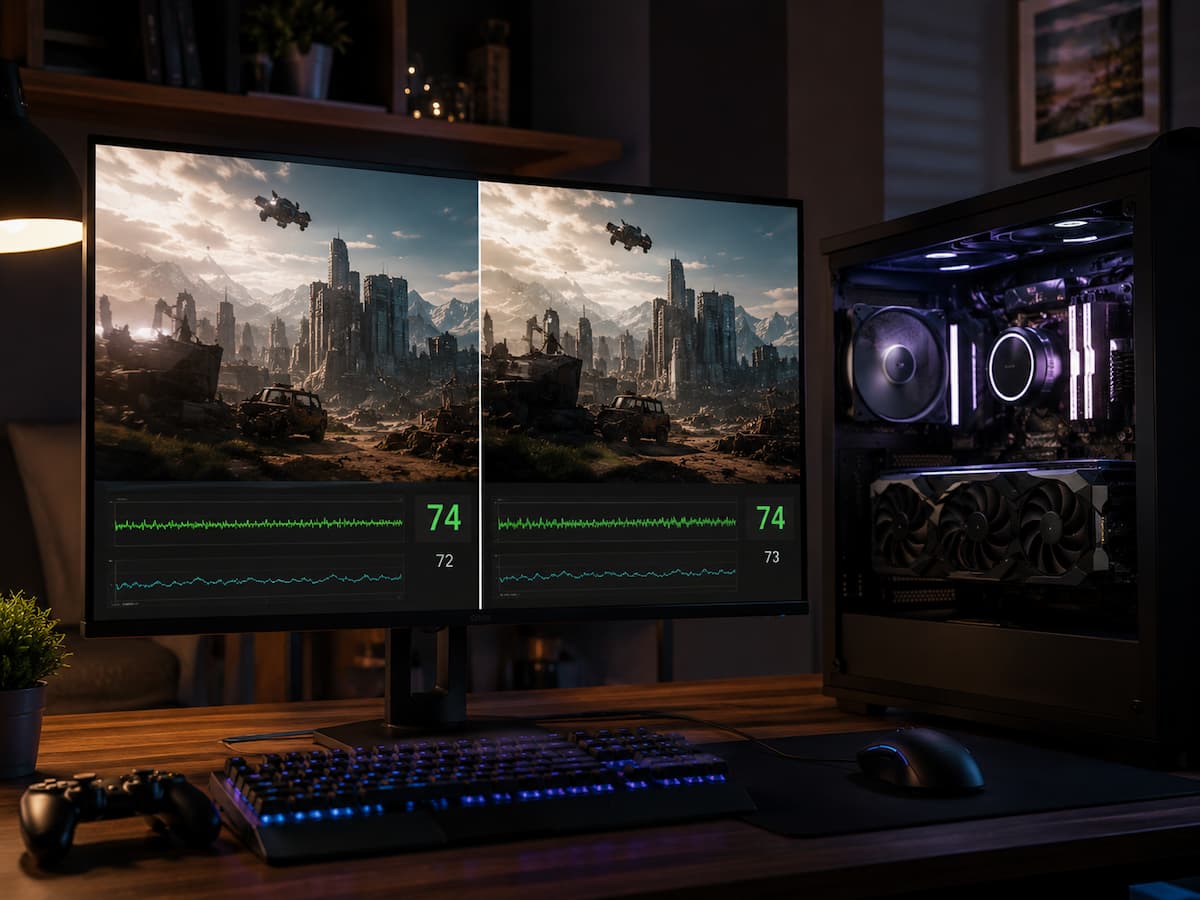
The explanation is usually simple: resolution only affects part of the workload. If the graphics card is already the main limit, lowering resolution can produce a noticeable improvement. If another part of the system is holding performance back, however, the GPU may simply finish its work faster and wait. Small FPS differences after changing resolution can reveal useful information about what is actually limiting the game. Understanding that relationship makes performance troubleshooting much easier.
Resolution Does Not Control Every Part of Game Performance
Resolution determines how many pixels the GPU must process for each frame. A higher resolution generally increases the graphics workload because more pixels need to be shaded, textured, and processed. That does not mean the entire computer suddenly works harder in the same way. The CPU still handles tasks such as game logic, physics, AI, draw calls, and preparing work for the graphics card. Much of that workload can remain similar even when the resolution changes.
If the CPU or another system component is already limiting performance, reducing the number of pixels may not create much additional FPS. The GPU becomes less busy, but the overall frame rate remains limited by something else.
Small FPS Changes Often Point to a CPU Bottleneck
A common example is a game running at 100 FPS at 1440p and 105 FPS at 1080p. That small difference suggests the graphics card may not have been the main limit at the higher resolution. The CPU may already be working as quickly as necessary to prepare the next frame. Lowering resolution allows the GPU to complete its portion faster, but it cannot force the CPU to prepare new frames more quickly.
This does not mean the CPU is necessarily weak or defective. Some games simply place a heavy workload on the processor, especially in busy areas with many characters, objects, physics calculations, or complex game-world activity.
GPU Usage Can Help Explain What Is Happening
GPU usage can provide another useful clue. When a graphics card is close to full utilization and lowering the resolution produces a strong FPS increase, the GPU is likely a major performance limit.
If GPU usage drops significantly after lowering resolution but FPS barely changes, the system may be waiting on the CPU or another bottleneck. The graphics card now has more available performance, but that extra capacity is not improving the overall frame rate. GPU usage should not be viewed alone, though. Some games have changing workloads, and utilization can move up and down depending on what is happening on screen.
Graphics Settings May Show the Same Pattern
The same behavior can appear when lowering demanding graphics settings. You might reduce shadows, effects, resolution, or other visual options and see only a small improvement. Such behavior can happen because those settings primarily reduce GPU work. If the GPU was not the main problem, removing that work may have little effect on the final FPS.
A useful comparison is to test several GPU-heavy settings while keeping the game in the same location. If the visual quality changes dramatically but performance barely moves, the bottleneck may be elsewhere.
Frame Rate Limits Can Also Hide the Difference
Sometimes the computer could produce more FPS, but the game intentionally limits it. A frame-rate cap, V-Sync setting, display refresh limit, or external software can stop the FPS from increasing after you lower the resolution.
For example, a game limited to 60 FPS may stay at 60 FPS regardless of whether it is running at a demanding or relatively easy resolution. In that situation, the lack of improvement does not indicate a hardware bottleneck. Before you compare resolutions, make sure an FPS limiter is not active. Otherwise, the results may not reveal anything useful about system performance.
Storage, Memory, and Game Engine Limits Can Also Matter
Resolution changes cannot resolve every type of performance problem. Stuttering caused by asset streaming, limited available memory, background activity, or game-engine behavior may continue even when the GPU workload is reduced.
Some games are also limited by the way they process world data or distribute work across CPU cores. In those situations, even a fast graphics card can spend time waiting for the rest of the system. This is why changing resolution is useful as a diagnostic test, but it does not provide a complete answer by itself.
A Simple Way to Test What Resolution Is Telling You
Choose one repeatable area of the game and measure performance before changing anything. Avoid comparing entirely different locations because the workload may change naturally. Then lower the resolution or resolution scale while keeping other settings the same. Watch both the FPS and the GPU usage rather than focusing on only one number.
- A large FPS increase often suggests that the GPU was heavily limiting performance.
- A small FPS increase with much lower GPU usage can suggest a CPU or system-side limitation.
- No FPS increase may indicate an FPS cap, synchronization limit, or another bottleneck.
The result is not always absolute, but it provides a much better starting point than changing settings randomly.
Do Not Upgrade Hardware Based on One Resolution Test
It is all too common to make the mistake of thinking your CPU needs replacing simply because you see a performance drop. The game may actually have framerate limitations, exhibit anomalous engine behavior, have background interference, or have temporary performance issues.
Test as many games as possible. If multiple games show the same problem, the test results are more informative. If only one game has issues, the problem is likely limited to that game. Furthermore, compare performance in different scenarios. Performance in a quiet indoor environment can differ drastically from that in a busy open world. Performance-limiting components change with the load.
Conclusion
Adjusting the resolution is not just a way to improve performance; it can also reveal the source of performance bottlenecks in games. If lowering the resolution significantly improves the framerate, the graphics card is likely responsible for a large part of the bottleneck. When a significant resolution change does not result in much change to the framerate, the GPU may not be the primary cause of the performance degradation.
The most important thing is to view test results as evidence, not as a definitive diagnosis. Before deciding whether a hardware upgrade is necessary, compare GPU usage, check framerate limits, test repeated scenarios, and observe performance in various games.
FAQs
1. Why is there almost no improvement in framerate after lowering the resolution?
The GPU may not be the main bottleneck. If the CPU, game engine, framerate limit, or other system components are limiting the framerate, reducing the GPU load may only yield a small improvement.
2. Does low GPU usage always mean a CPU bottleneck?
Not necessarily. Low GPU usage can also be caused by the framerate limit, vertical synchronization, background activity, loading behavior, or performance issues with the game itself. This scenario is just one indication.
3. Should the framerate double after lowering the resolution?
Not necessarily. The improvement depends on the extent to which the GPU originally limited the framerate. If the game has a CPU bottleneck, the improvement may be very limited.
4. Can a powerful GPU cause a low framerate?
Yes. A powerful GPU can only push the framerate as high as the CPU and game engine can handle. The graphics card may still have some unused performance, while other components of the system form the bottleneck.