
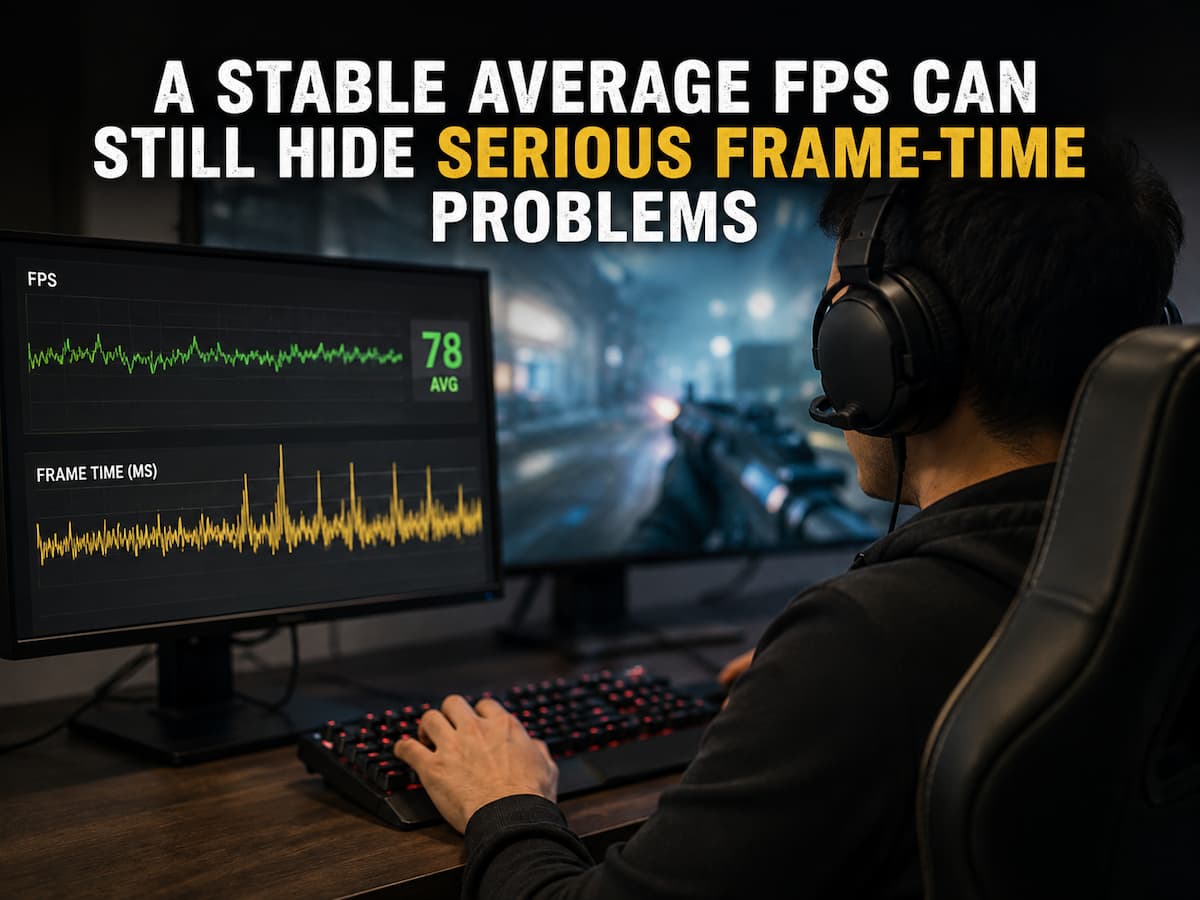
A game can have a high FPS but be choppy. The counter may be at 120, 144, or higher, but camera movement occasionally jerks, quick turns feel uneven, or the game suddenly pauses before returning to normal. It’s easy to believe the problem is the monitor, mouse, internet connection, or game, as the average frame rate is healthy. However, the FPS average often hides missing data. Frame rate indicates the number of frames produced over time, but not their distribution. A game can produce many frames but sometimes take too long to make each one. Even when they scarcely influence the average FPS clock, isolated delays are noticeable. Frame time matters here. Instead of counting how many frames the system produced per second, frame-time analysis examines how long each frame took to arrive. Motion feels smoother at consistent times. When frame times increase, they can cause stuttering even when performance is otherwise good.
Average FPS Summarises Performance, Not Fully.
Average FPS is handy for comparing performance quickly, although it condenses a lot of information into one value. Compare two 100-FPS gaming sessions. In the first session, most frames take the same time to make. Since the technology delivers frames at a known rhythm, motion appears consistent. In the second session, most frames are created rapidly, but some take several times longer. The game may pause briefly before continuing at full speed. Both sessions might average 100 FPS since many quick frames offset the odd slow ones. The average does not indicate where or how evident such delays were. This is why two PCs with the same average FPS can have different experiences. Despite having the same or higher average frame rate, one may feel smooth while the other feels unstable. The difference may not be frame count. Time consistency between frames is often key. Thus, average FPS is a broad measure but not proof of seamless frame delivery.
Frame Time Reveals FPS Counter Secrets
Frame time is the time it takes to make one frame. One frame per 10 milliseconds is typical for a 100 FPS game. Frame time averages 16.7 milliseconds at 60 FPS. Approximately 8.3 milliseconds at 120 FPS. While relevant, the average frame time is not the most significant factor. It is the system’s consistency near that value. Imagine an 8-millisecond game that periodically takes 35 or 50 milliseconds to produce a frame. The average FPS may be good, but that delayed frame can be noticeable. The average is not a single occurrence for your eyes. A sequence of frames appears on the screen. One frame taking longer than others might cause motion to halt or leap. Thus, a frame-time graph often provides more information than an FPS number. A flat graph indicates constant frame arrival, while unexpected tall spikes indicate lengthier frame completion. Players often perceive stuttering or hitching during those spikes.
One Slow Frame can be More Noticeable than a Low FPS
Low frame rates can feel smoother than high but unsteady ones. Smooth 60 FPS games produce frames at a predictable interval. If a game averaging 100 FPS alternates rapid and delayed frames, it may appear less smooth. Although the second system generates more frames, its irregularity breaks visual rhythm. This is especially visible during camera movement. Uneven motion is easily detected when the viewpoint moves gradually over the area. One delayed frame can make the camera appear to pause before catching up. A game may look OK in pictures or benchmarks but feel worse in gameplay since the same flaw may be less visible standing still. The problem is most noticeable in racing, open-world, flight simulator, and first-person games where the camera glides smoothly across detailed scenes. How obvious a frame-time spike is based on the regular frame rate, display behavior, game kind, and interruption frequency. A single frame-time number does not define acceptable performance. The key distinction is between normal frame delivery and delayed frames that interrupt it.
Microstutter Rarely Affects Average FPS
“Microstutter” is a phrase for brief breaks in high-performance gameplay. Because the visual impression is not always minimal, the word can be misleading. A fraction of a second hitch can disturb aiming, camera movement, and reaction. Because the interruption is brief, it may scarcely alter the average FPS over seconds or minutes. A game may run above 140 FPS for most of the time and spike when the player reaches a new area. The average may stay around 135 or 140 FPS, which sounds pretty good. However, the frequent breaks might make the game feel worse than a 100-FPS game. Players occasionally say a game is “high FPS but not smooth.” This statement is not contradictory. The FPS counter measures one aspect of performance while the player reacts to uneven frame delivery. If stuttering is frequent, the average may be steady, but the experience frustrating. Only looking at the FPS figure can lead to the mistaken conclusion that the hardware is fast enough and no additional analysis is needed.
High FPS Consistency Depends on Frame Pacing
When frames are supplied equally, it is called frame pacing. Ideally, a 120 FPS game would output frames at 8.3 milliseconds. Actual systems are more complex. The amount of effort for every frame changes during the game. The CPU and GPU may have various workloads, the game engine may need to load data, and the OS may schedule other tasks. Some fluctuation is usual. Differences significant enough to cause obvious interruptions are the issue. If a game produces frames in bursts, it can feel inconsistent. An FPS cap can improve game feel due to frame pacing. A realistic cap can give the hardware a more consistent frame rate than an uncapped one, which may fluctuate as the system renders as many frames as possible. This does not mean a frame cap fixes all stuttering. Limiting FPS may not fix severe shader compilation pauses, CPU interruptions, memory strain, or asset streaming issues. Smooth gameplay requires continuous frame pacing, and the highest FPS is not always the best visual experience.
Several System Components can Cause Frame-time spikes.
A frame-time spike does not instantly pinpoint its cause. The delay can occur before the GPU renders, while processing a tough frame, while the game waits for data, or when displaying the final frame. CPU constraints are prevalent. The GPU may run out of work and wait if the processor requires more time for AI, physics, animations, or game logic. GPU-heavy scenes can also cause spikes when graphical complexity suddenly renders one frame more expensive to render than the others. When the game needs new textures, models, or other information while the player is moving, asset streaming can cause delays. Memory strain can increase resource management and movement work. Some games experience occasional disruptions from shader compilation and other preparation chores. Background apps, overlays, recording software, upgrades, and OS activity may also contribute. Not assuming every spike has the same cause is helpful. Instead, watch for spikes and other changes. Frame-time problems that surface every time you enter a new place differ from those that occur only when the GPU is fully utilized.
A Stable FPS Hides Repeated Performance Interruptions
Even during game stutters, an FPS counter can appear consistent. Many counters refresh slowly or show an average over a short period instead of each frame’s duration. Imagine a game running at 120 FPS for most of a second before one frame slows down. The countdown may drop, but it can rapidly recover to 120 or display a rounded figure that does not reflect the interruption. If the identical action repeats many minutes later, the average FPS may not change. A benchmark that merely shows average performance can cause issues. Even though one system had smooth frames and the other had many stalls, both computers may average 110 FPS in a test run. So, extensive performance analysis generally includes low-percentile data, such as 1% lows and average FPS. These measures can provide explanations for weaker points in the performance distribution, but they cannot replace a frame-time graph for stutter timing. Replacing average FPS with a perfect number is not the goal. Frame-time consistency is useful when the complaint is about how smooth the game seems.
1% Lows Can Show Problems the Average Hides
Low-percentile results try to identify slower times, while average FPS describes usual performance during a measurement period. A 1% low measurement emphasizes the inferior frame performance rather than the average. A game with an average of 140 FPS but a low of 1% may indicate less consistency. These figures should be interpreted cautiously. The test duration, scene, benchmarking method, and software can affect a low 1% result, which does not necessarily explain the delay. Continuous intense gameplay can affect results differently than a quick loading pause. However, comparing average FPS to low-percentile performance can be more informative. A game averaging 100 FPS with great low-percentile outcomes may play more consistently than one averaging 140 FPS with huge drops. Comparing settings or troubleshooting changes using measurements is helpful. A graphics modification that improves lower-end performance and eliminates stutters but maintains the average FPS may be worth it. The game experience is more important than maximizing a benchmark number.
Why High FPS and Refresh Rate Don’t Eliminate Stutter
High-refresh-rate displays improve motion clarity and refresh time, but they cannot eliminate frame delivery issues. A 144 Hz or 240 Hz monitor can update more often than a 60 Hz display, but the game must still output frames. The display cannot create a missing frame if the game suddenly takes longer to finish a frame. The consequence may be a hiccup. Frame presentation can also depend on synchronization settings. V-Sync, frame limitations, and variable refresh rate technologies affect frame production and display refresh. The best configuration depends on the game, display, hardware, and user smoothness/latency preference. As always, a high FPS does not guarantee smooth motion. If frames take too long, a 180 FPS game on a 240 Hz panel will stutter. A lower but steady frame rate can feel smoother, thanks to predictable frame timing.
How to Find Frame-Time Problems Instead of Average FPS
When a game feels choppy despite a constant frame rate, replicate the issue consistently. If the hitch occurs when entering a place, repeat the route. To reproduce a specific conflict or effect, ensure the same conditions are present. Monitor frame time and FPS rather than relying on the average. Find sudden spikes at the same time as the visual stutter. After finding a trend, monitor GPU, CPU, memory, clock speeds, and temperatures if your monitoring software can offer accurate information. Not finding a constant high or low value is the goal. Instead, search for changes during the frame-time increase. The graphics workload may contribute if GPU utilization remains high during the rise. If GPU utilization drops but frame time grows, the GPU may be waiting for CPU or pipeline work. Consider streaming or asset preparation if the issue arises in new areas. Methodical results are better than decreasing every graphical level and hoping for an improvement in FPS.
Stable Performance Target
Running a game without an FPS limit can produce the highest average frame rate, but it may cause frequent variations if the workload varies. A reasonable frame-rate objective can increase consistency because the system no longer has to maximize performance in every simple scene. If a game fluctuates frequently between 130 and 220 FPS and is inconsistent when workload changes, a lower cap that the system can maintain may stabilize frame pacing. Game, hardware, monitor, and synchronization configuration determine the ideal target. Frame caps cannot fix severe CPU stalls or engine-level interruptions, nor can they fix stuttering. However, it can eliminate wasteful oscillations when the system regularly switches between significantly different performance levels. Instead of choosing a cap based on its number, compare gameplay sense to frame time pattern. A consistent experience is generally better than a high average FPS with frequent breaks.
Conclusion
Stable average FPS can distort confidence. The number may indicate a satisfactory game even if frames are sometimes late. Delays can cause obvious hitches, uneven camera movement, and the sensation that a game is “not smooth” despite a high FPS counter. Why? Average FPS measures quantity, while frame time shows consistency. A game can offer many frames in a minute, but some are too late for smooth action. CPU stalls, GPU-heavy sequences, asset streaming, memory pressure, shader work, synchronization issues, and background disruptions can delay frames.
Do not accept the average when gameplay is choppy but the FPS counter is healthy. Monitor frame time, repeat the stutter, and look for spikes that match the moments you notice. Check what the rest of the system is doing. The greatest average FPS does not always mean the smoothest gameplay experience. It usually produces frames most regularly.
FAQs
1. Why does my frame rate seem stable, yet the game still stutters?
The frame rate counter may display an average value or update too slowly to detect short fluctuations in the frame rate. Peaks in frame time may appear briefly and then disappear from the average but are still visible during gameplay.
2. What is the difference between frame rate and frame time?
Frame rate measures the number of frames generated over a specific period. Frame time measures the time required to generate a single frame. Frame rate helps in understanding overall performance, while frame time is particularly useful for identifying unstable frame delivery and stuttering.
3. What causes peaks in frame time?
Frame time spikes can be caused by CPU limitations, GPU-intensive scenes, resource streaming, memory pressure, shader-related processing, background applications, overlays, temperature or clock variations, and game engine behavior. The specific causes depend on when and how the spike occurs.
4. Is a 1% lower frame rate more useful than the average frame rate?
The two are not interchangeable. The average frame rate reflects overall performance, whereas a 1% lower frame rate provides additional information about moments of weak performance. Frame time graphs are particularly useful for troubleshooting stuttering issues because they show the timing of individual delays.
5. Can a frame rate limit reduce stuttering?
Occasionally. A reasonable frame rate limit can improve stability when the frame rate fluctuates. However, a frame rate limit cannot automatically resolve stuttering caused by CPU congestion, resource streaming, memory issues, or other underlying problems.